Start with your account, then choose what you want to do. This guide works on phones, tablets and computers; in-app Help covers each section in detail.
On iPhone, iPad, Android or in a browser, use the same account and access the same data.
Where to begin
Three ways to get started, all available now.
Your yard is already on Paddoco.
Find it in the directory and request to join, or wait for an invitation. Once you join, you will find the schedule, facilities, feed and other riders.
Your yard is not here yet, or you do not belong to one.
Start on your own straight away: your horses, care records, exercises, friends and tack marketplace work without a yard. You can even register a horse as living at home. You can also create a personal group and browse public clinics. If you join a yard later, everything comes with you.
You run a yard.
Set up your yard, invite your riders and give each person the right access. What riders create belongs to them; the records needed to run the yard stay with it when they leave.
You can start without a yard and complete your profile later. Keep one account for your horses, riding life and professional activity.
First step
Create your account in five minutes.
Open app.paddoco.com
In your phone or desktop browser, choose “Create an account” and enter your email address and a password.
To create or reset your password, follow the checked rules below the field: at least 12 characters, one capital letter from A to Z and one special character. The server also checks passwords found in known breaches. If the button stays disabled, review the missing items shown below the form.
Follow the sign-in instructions
After creating your account, follow the instructions to confirm your address if needed. If you are waiting for an email, check your spam folder too and wait for the stated interval before requesting another email.
Tell us what brings you here
The first time you open the app, it asks one question: do you ride at a yard, run one or look after horses at home? Answer, or choose “I'll look around first”. You will not be asked again, and you can change your answer in “My account”.
A short getting-started checklist then appears. It ticks itself off by checking what you have actually done, without asking you to repeat completed steps. Dismiss any step that does not apply, and restore it if you change your mind. Once there is nothing left to do, the list disappears.
Join your yard
Find your establishment in My yards. Depending on its settings, joining is immediate or requires approval. Check your request status; avoid creating a duplicate listing for the same yard.
Your yard can also invite you directly . The invitation will be waiting when you open the app. You can accept or decline it; it never joins you automatically.
You can still get started. Your horses, equipment, exercises, friends and tack marketplace work without a yard, and you can register a horse as living at home. A yard is needed for shared activities in a place: lesson schedules, facility bookings and the yard feed.
Tell us what you do at the yard
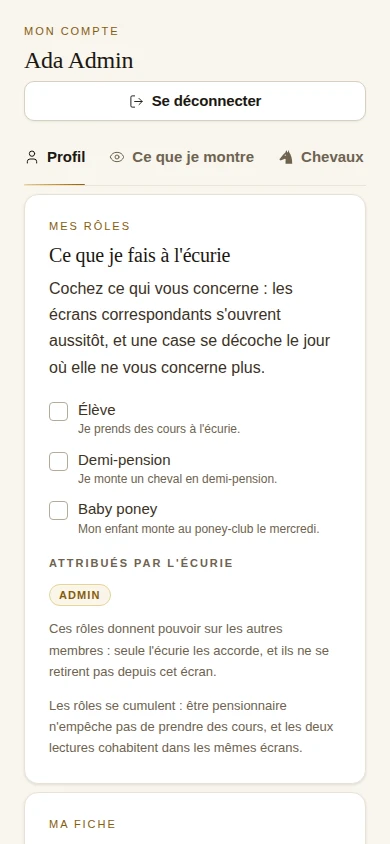
In “My account”, tick the roles that apply: student, horse sharer, owner or parent of a child who rides. The relevant screens become available straight away. You can have several roles, and untick any that no longer apply.
You declare your own activities. Only roles that give you authority over others are assigned by the yard.
Install it on your phone
On Android, it is on Google Play : a fully installed app where the account you just created works as it is.
On iPhone and iPad, download Paddoco from the App Store. Sign in with your existing account to find your horses, your yard and your conversations.
Take a look around
What you will find.
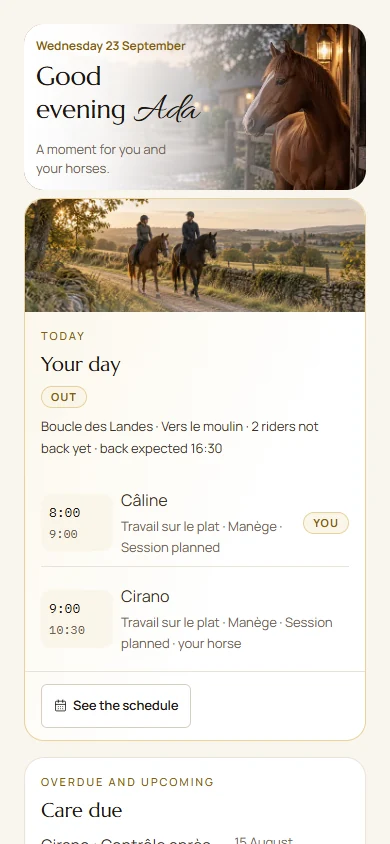
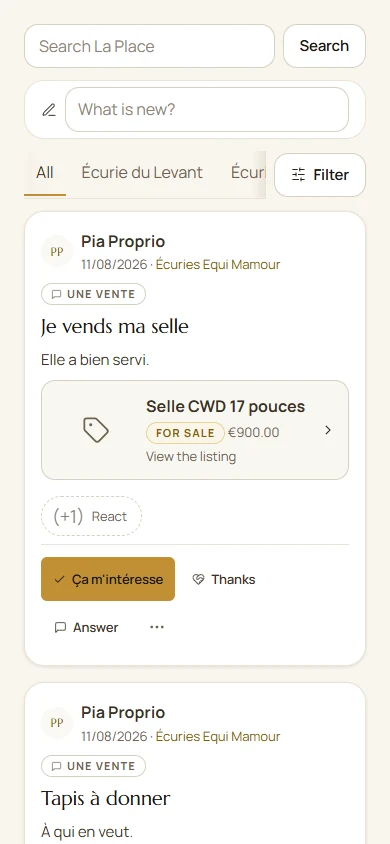
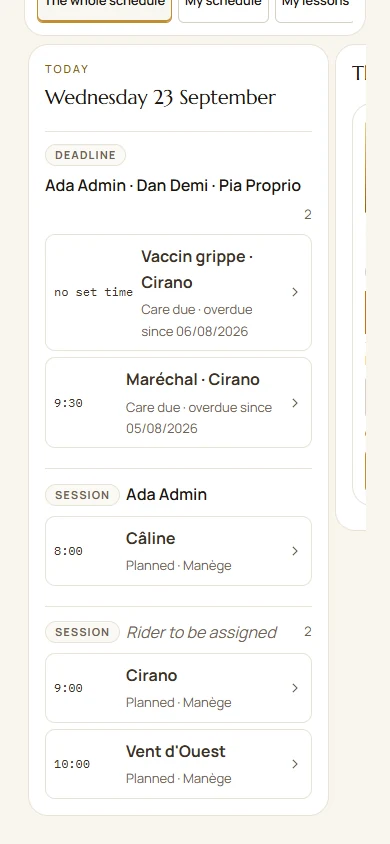
The screenshots illustrate a fictional dataset from September 2026. Screens change: the steps below describe current actions, and the available actions depend on your permissions.
Home
Home brings together Your day, upcoming activities and relevant requests. Open an activity to view its details. Check the selected yard: its weather and activities depend on that context. Prompts (completing your record, turning on notifications, discovering what is new) appear one at a time, the next after the previous one.
Try this: hide a card you do not use. Home should reflect your life, not ours.
The Square
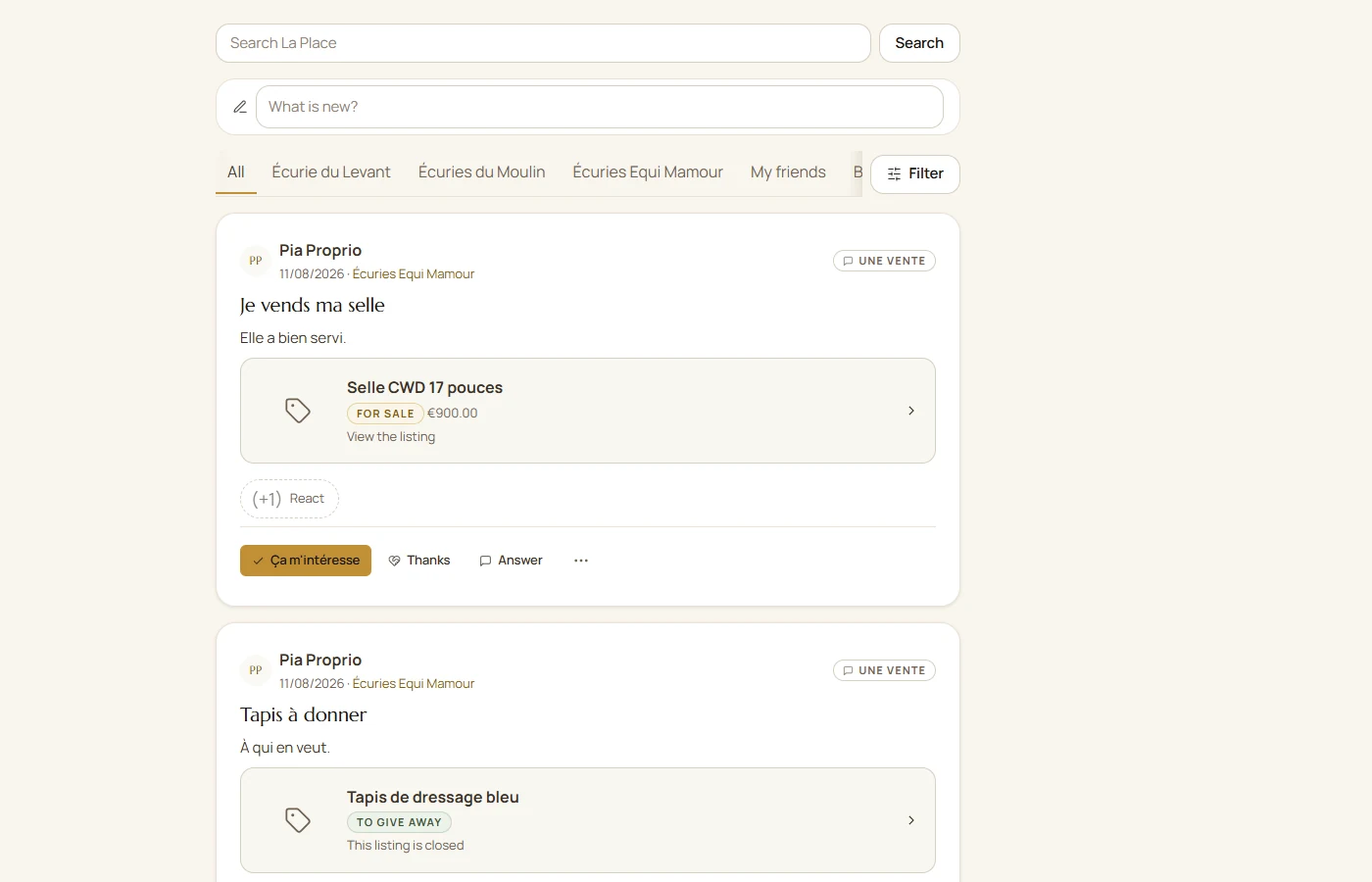
The Square brings together accessible posts. All opens the overview; filters narrow the view. Before posting, choose your audience: yard, friends, group or public, from the available options.
Reactions let you respond; they do not replace registration such as I’m coming. During composition, @ mentions suggest accessible people. Wait for photos or videos to finish uploading and check their status before publishing. Changing interface language does not translate text written by users.
Try this: start a poll (“Who's around on Sunday?”) and watch the conversation turn into a ride.
The schedule
Choose List or Agenda, then the period. Open a lesson to check places and conditions, book or request a club mount. Regular slots can combine an annual list with open places. Personal and team tasks also belong in Planning.
Try this: book your actual lesson for the week and check that everything looks right.
Horses
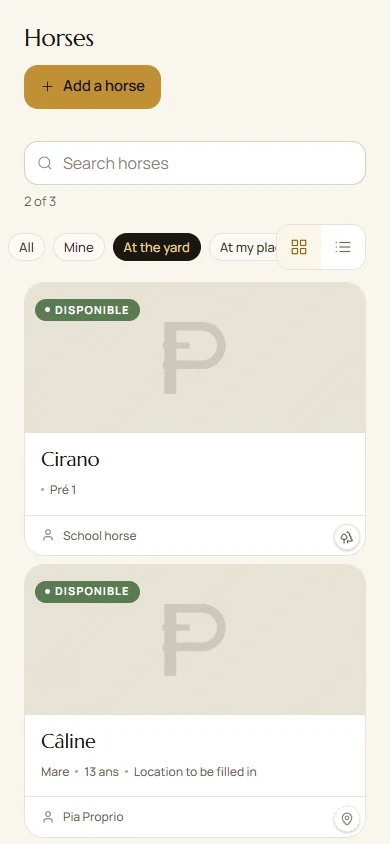
Open the horse to find its overview, identity, care and activities. All brings together the other available sections, including feeding, equipment, pedigree and location. Content and actions depend on your link to the horse, your roles and its sharing settings.
Hoof trimming, veterinary care, vaccinations and dental care each have their own record, with photos and visibility adjustable section by section. You decide what the yard can see about your horse and what stays private.
In Feeding, choose the exact product, quantity and unit. A manufacturer’s sheet or manual entry documents its composition. The overview shows known intake and identifies missing information; crude protein is not digestible protein expressed as MADC.
A nickname helps you find a horse by its everyday name. Photos can be cropped, genealogy links parents and offspring, and each section keeps its own permissions.
The Location tab shows the yard map and your horse's paddock, with touch zoom.
Try this: add the next farrier visit. The reminder repeats at the interval you choose.
The library and design studio
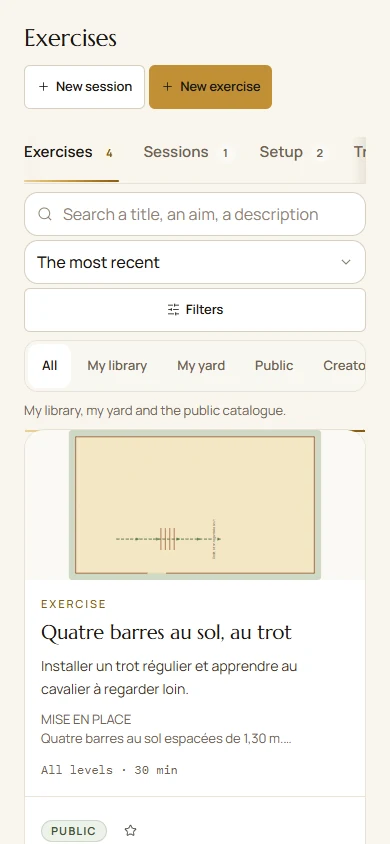
Exercises, tests, equipment and favourites help you prepare sessions. The builder provides a scale plan, a 3D view, animated steps and a printable preparation sheet with equipment. Distances remain reference points to adapt to the horse, rider and arena.
Explore accessible content, add favourites and copy an exercise to adapt it. Your copy does not rewrite the author’s work.
Try this: draw the exercise from your last lesson and share it with your yard.
Demonstration screenshots taken in September 2026, with fictional people and data. The written steps were updated in October.
Hacking out
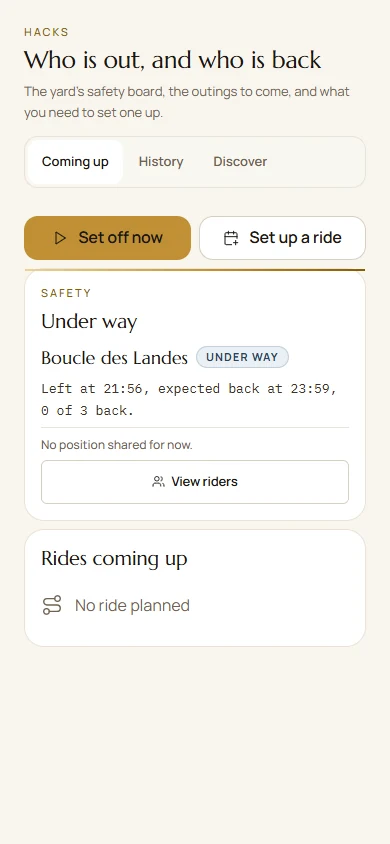
See who is out, with which horse, since when and when they expect to return. When you follow a route, the topographic map stays centred on you, with remaining distance, distance off route, distance travelled and a direction arrow. If you leave the route, the screen tells you.
Before leaving, choose route following or recording and check location permissions. If preparing an offline map, wait for confirmation. A browser can stop tracking when the screen locks; the installed app also depends on phone settings.
Try this: add your next ride, save the map offline and mark yourself “Back safely” when you return.
After your ride
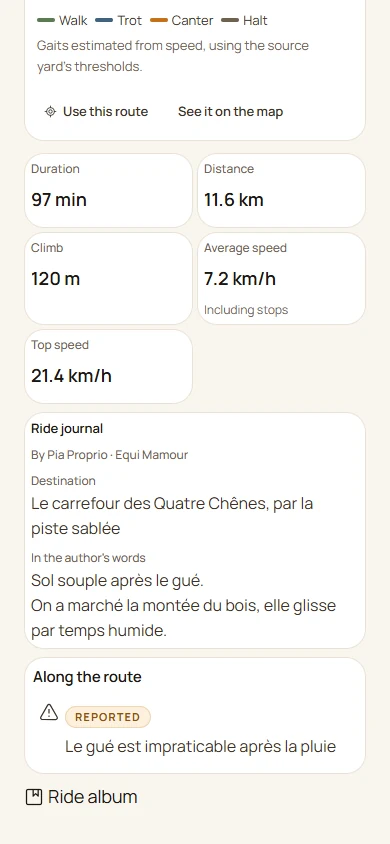
Find the hack in the history: a route coloured by estimated pace, duration, distance, elevation and memories. Average speed includes pauses. Create a film prepares a photo or MP4 memory with the available format and background options, including a topographic background. Review the preview before downloading or sharing it.
Choose who sees it: your yard, friends or everyone in “Discover”. A public route is shared in full, including its start and finish, and the screen reminds you when you select that option. Your heart rate stays private.
Try this: share a route with a friend at another yard so they can follow it.
The tack marketplace
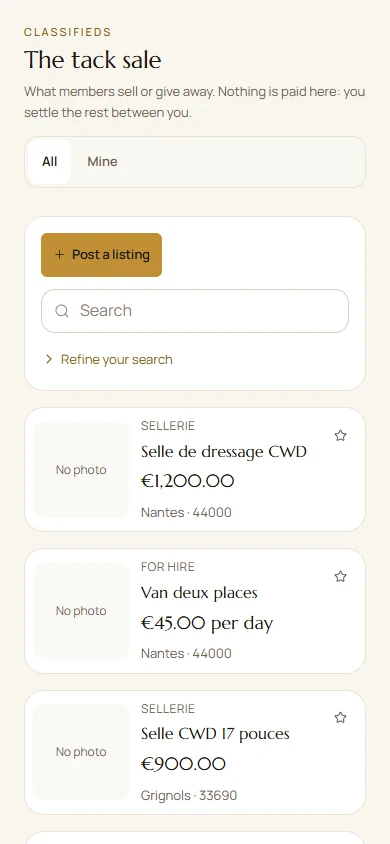
Items members sell or give away, within your yard or across the platform, with a distance filter. No payments are made here: you arrange the details between yourselves, using messaging to get in touch without sharing your phone number.
There is also equipment lending: who borrowed what, and when.
Help within the app
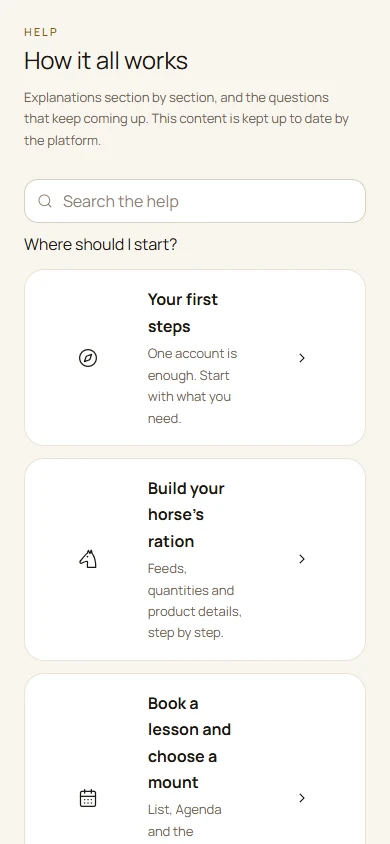
Choose a starting point, open a chapter or search with several words. Each tutorial explains the steps. Shared links open the article directly; Report a problem lets you request a correction.
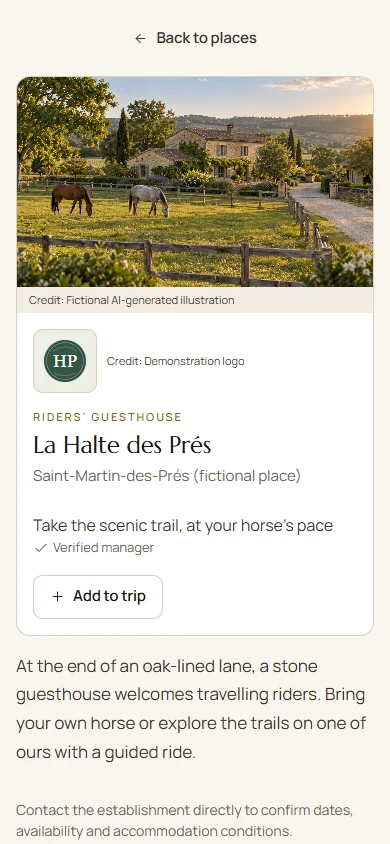
Fictional example: an AI-generated image and demonstration details.
Tourism: plan an adventure and find stopovers
Find places that welcome riders, horses and trailers. Plan your days, reuse routes, share your trip and revisit recorded rides. Contact through Paddoco becomes available when the place’s manager is verified.
Do you welcome travelling riders? Claim your existing listing or list your place, then personalise its cover photo, logo and gallery. The enhanced showcase is free during launch.
The feed on a computer. The layout adapts to the available width. Fictional example.
Everyday actions
One need, a few steps.
Feeding: start with what is actually fed
Build your horse’s ration
Open Horses, your horse's record, then Feeding. Check its weight and feeding arrangements.
Add a feed. Search for the brand and exact name, then check the range on its product sheet: two products from one brand are not interchangeable.
Enter the quantity, unit and meal requested by the form. Weigh your measure if you use a volume or scoop whose weight is unknown.
Save and review the ration lines before reading the overview.
SOAL Racing 2026 products and products distributed by Equideos expand the source-backed catalogue. For SOAL, Oligovit or another product, choose the exact product you feed: a brand name or vitamin and mineral supplement label is not enough. Compare the entry with your packaging; missing data remains unknown.
At pasture, grass intake is not known automatically. Displayed values may therefore not cover the whole day's intake.
Enter a feed missing from the catalogue
In Feeding, choose Enter my feed, or the manual entry offered in the product picker.
Enter the exact name, brand and reference. Use the label, the manufacturer's technical sheet or your forage analysis.
Copy values with their units and basis: per kilogram as fed or of dry matter, as stated by the source. Enter dry matter when the calculation needs it.
Save the sheet, select this product and enter the amount fed.
Leave unknown values blank. Zero means that the content is genuinely zero. Do not convert a crude protein percentage into MADC: these are different measurements.
Your personal feed entry remains private to your account and can be used for your horses. It does not replace the manufacturer’s entry in the shared catalogue.
Add or edit a supplement course
In Feeding, open supplement courses and choose Add a course, or open an existing course to edit it.
Find the product by brand and name. Check its sheet; if it is missing, use manual entry.
Enter dates and feeding instructions. To include the course in intake, also enter a numeric dose and a usable unit.
Save, then check the product, dates and dose on the course.
A free-text instruction such as “one scoop” can help with daily feeding but cannot support a calculation if the scoop's weight is unknown. A course outside its dates or without usable data should not be interpreted as zero intake.
Follow the manufacturer's and your horse's professional adviser's instructions. The app does not invent a dose suited to its health.
Understand the nutritional overview
The overview compares recorded intake with your horse's estimated needs. This calculation system expresses energy in UFC and digestible protein in MADC.
Read the calculated intake: it comes from usable feeds and quantities, including current supplement courses with a numeric dose.
If a value is partial, open the details. The feed and missing information are named; complete its sheet or quantity.
Compare intake with needs only when the required information is known. Needs depend on factors including weight and the horse's circumstances.
Crude protein and MADC are not interchangeable. The protein percentage on a bag alone cannot determine digestible protein. Missing MADC must not be invented.
A partial total is neither zero nor evidence of a deficiency. Some forage or grass may be missing from the calculation. Use this overview with the professional who looks after your horse; it does not replace their advice.
Care: record what was done and find reports
Record care or complete a due item
Open Horses, select the horse, then Care. Find Care due dates and Observations and reports.
With contribution permissions, choose Record completed care or Done today on the due item. Check the horse, date and information before confirming.
If care has already been recorded, use the offered confirmation to avoid entering it twice. An overdue item is not automatically treated as completed.
Creating or editing due items requires management permissions. If an action is missing, check your current link to the horse and access to the section.
Read a visit, report or diagram
In Care, open Observations and reports. Use search and filters to find the visit.
Open the report you are allowed to view, its date, author and files. Profession-specific templates include teeth, feet, osteopathy, saddle and bridle fitting.
Diagrams show recorded findings with their date and source. They do not replace a new examination, and an empty area means no information has been entered.
Plan care or follow treatment
In Care, Add care offers Plan care, Follow treatment or Record completed care. Choose the appropriate action.
A treatment programme and its completed administrations are separate. Review dates and instructions received from the professional before activating or recording anything.
For a vaccine or wormer, choose from the relevant catalogue, or Other with the exact name. Available recurrence uses days or weeks; it does not determine a medical protocol.
Correct an ownership link accepted by mistake
Open your link on the horse profile and check the current owners. The same horse name or SIRE number does not justify merging two records without checking identity.
Remove my ownership applies only to your own link. You can leave if another effective owner remains; the last owner must transfer ownership first.
Review the consequences and confirm. The horse history, care and documents are not deleted by removing the link.
Planning: choose, book and follow
Book a lesson and choose a mount
Open Planning. Choose List or Agenda, then the period you want.
Open the lesson to read its time, places, participants and booking conditions.
Book if a place is offered. A regular slot can combine an annual list with bookings for remaining places.
When a mount choice is offered, select your horse or request a club mount. The team remains responsible for allocation.
A full lesson may offer a waiting list. Always check the displayed status after submitting your request.
A training clinic displayed as Public can be discovered without opening registration to external people. Review its registration conditions and the status of your request; a public link does not replace admission.
Authorised people can add dependants without accounts. An annual booking and confirmed attendance are different records.
Organise planning tasks
In Planning, open the add-activity action and choose a task.
Give it a clear title and enter the requested dates.
Choose the scope and assignment available with your permissions: personal or for the team.
Save. Open the task in Planning to view it, edit it or record progress.
For recurring lessons, use the slot or series actions. Deleting one session and stopping a series are different actions: read the displayed scope before confirming.
Find a lesson and prepare a session
From Planning, open the lesson: its sheet brings together registration, horse, attendance and information available within your permissions.
In My horse, your own horse kept elsewhere can be offered for a lesson when your ownership is current and valid on the lesson date. This workflow does not cover training clinics, dependants or other people’s horses, and does not move the horse. Lesson places and horse availability are checked separately.
In a session or lesson, open the exercise and then the preparation sheet. Review equipment and instructions before Print / PDF.
Complete maintenance or distribute stock
With authorised team permissions, open the assigned task in your planning or Maintenance. Check the destination, date and any stock involved. Stock is managed manually: horse rations do not automatically deduct it.
You can select a destination on the Facilities plan. Choosing a field does not distribute anything yet.
Save schedules the task; Done records completion and may deduct stock. Reopen restores the associated movement according to the receipt. Review the result after each action.
Hacks: prepare, depart and find your ride
In My account > My record or the ride settings, open Contacts to notify. Choose one or more accepted friends and save. Even without a yard, they can receive your new probable fall alerts and the event location. This choice shares neither live tracking nor earlier alerts. Remove a contact to close their access. No automatic SMS or call to the emergency services.
Prepare a hack and record your return
In Hacks, prepare your ride and participants, or open the ride you have joined.
Before leaving, choose whether to follow a route or record your own. Check location permissions and the location-sharing choice for your participation.
If preparing an offline map, wait for confirmation of the downloaded areas. Not every map or feature is available offline.
Start the ride. When back, finish it and check the confirmation of your return on its record.
In an installed app, tracking also depends on phone permissions and settings. In a browser, tracking can stop when the screen locks or the app moves into the background.
The safety board helps follow a ride; it is not an emergency service. If sending fails, keep the ride and use the retry offered.
Find and share a completed ride
In Hacks, open History and your ride. For an untracked ride, use the retrospective entry offered.
View the route and analysis. Colours show estimated paces; average speed uses the total duration, including stops.
Add useful memories and choose visibility before sharing a route or photos.
Open Create a film, choose the format, photos, background and destination, then prepare the preview. Download MP4 saves the file; Share on La Place opens a draft for you to review and publish deliberately.
A public route can reveal its start and finish. Check the selected photos and statistics too. System sharing depends on the device and installed apps; preparing a film never publishes it automatically.
Understand a fall alert
Before a hack or ridden session, review the available safety settings and phone permissions. Available detection depends on the device and settings.
If a possible fall is reported, respond that you are safe or request help. Authorised people can view the follow-up and contact information they are allowed to access.
Detection can be wrong and the network can prevent transmission. No public emergency service is called automatically: contact emergency services yourself in an emergency.
Exercises and memories: from plan to session
Read the plan, 3D view and equipment
In Library, open an exercise you can access or your builder. Choose the plan, 3D view or available animation.
Check dimensions, the horse’s side, steps, distances and equipment. The 3D view represents the planned exercise, not a measurement of the ridden route.
Use the preparation sheet to print the plan and instructions. To change a shared exercise, work on your own copy.
Create a lesson or ridden-session memory
Finish the ridden session or open the completed session. Check the recorded duration and selected memories.
Open the photo or film memory. The film can show the exercise in 3D with a 360° camera when the plan and device support it.
Review the selected information and the sharing audience. A ridden session’s duration is not reduced to a few GPS metres; unknown data is not invented.
Download or share the available JPEG or MP4. Publishing or sending requires your action; a planned exercise is still described as planned.
Horse shares: sharing a horse
Find or offer a horse share
Open Horse shares in the menu. The French label Pensions/DP includes demi-pension and other sharing arrangements.
Use filters and location to find a suitable offer.
Open the listing to read the terms, horse details and contact information.
Discuss it with the person before committing. An agreement and a link to the horse's record are separate steps.
Want to offer your horse? Use the offer action available with your permissions and explain the terms. A listing does not automatically grant access to the horse's data.
Training: distinguish your library from your learner record
From the educational autonomy threshold, currently fifteen years of age, learners accept their own invitation and use their learning record without prior parental confirmation. Below this threshold, confirmation by the legal guardian is still required. A parent can be linked later through verified guardianship; this grants no yard role or access to a horse.
Follow training or find a learning pathway
In Library, Training, view accessible content and your personal progress.
If a training centre invites you to a cohort, accept the invitation to find your pathway and assignments. Approval, activation and publication of the centre are separate steps.
In the learner record, choose activities or files to share with named teachers and tutors, then review the preview and sharing period. This learning role does not open access to yard data.
Recorded certificates and qualifications remain distinct from a verified diploma. Displaying them on your profile is your choice; it does not grant a professional role.
Account, family and calendars: the right context
Find a dependant and their registration
In My account, open My family. Check whether the dependant already has an account or a record without an account before creating another.
For an existing minor account, follow the guardianship request and approval. Matching with an old record remains a separate accepted choice.
When registering, select the right person. Being responsible for the account does not turn your activity into the dependant’s activity or grant automatic access to a horse.
Set your level and view your calendars
In My profile, Level and licence lets you enter the available self-reported information. A self-reported Galop is not official FFE verification; FFE connection is still to come.
In My calendars, Google connection is voluntary and requires your consent. Check your chosen calendars, copies and unavailable times. Microsoft remains Coming soon; a button being present is not proof that an external copy succeeded.
To stop copies, use the available pause or disconnect action. Hiding a calendar does not necessarily stop its synchronisation. Review times in the timezone and units displayed for the account or activity.
Maps and movements
Search the map and revisit a hack
To locate results, choose Map beside List. Select a marker to open its listing; return to List to browse other results. A result without coordinates is never placed at random. Adverts and horse shares show an approximate area: confirm the meeting place with the person.
For your own completed hack, open Manage hack, then Hack's yard. Choose a yard where you are a confirmed member, or none. If needed, the app switches context so you can assign your horse there. Gait breakdown separates moving time, moving average and stops; an estimate is not a certain measurement.
With permission to move horses, open Location, then On the plan. Select the area, review available space and any incompatibilities, then confirm. Movement history keeps dates, routes, authors and notes. Selecting an area does not move the horse before confirmation.
Yard maintenance and register
In the horse's profile > Location > Temporary exits, an authorised owner or administrator records the reason, destination and departure. Leave the return blank until the horse actually returns, then use Back today. Confirmed entries for external competitions already feed the register: check before creating a duplicate. After a network failure, read the list again before retrying.
When recording completed care, enter any medication in the same form: it feeds the register without entering it twice. Treatment administrations already recorded remain linked to their source.
Prepare tasks and the register
In the task editor, Start from a template offers shared templates and your yard's own templates. Choose the location on the plan if needed. Keep as a yard template reuses the instructions for your team; Remove this template removes the template, not tasks already created.
As an administrator of the current yard, open Dashboard, then The register. A role in another yard grants no access.
In The holding, check the establishment and responsible professionals. In Tracking sheets, choose the care category and year; on a phone, scroll within the grid.
In the livestock register, choose the year and check the reported gaps. Print the register opens printing; Download PDF saves the document. Each monitoring sheet also offers its own PDF.
Food chain status copies an identification document; the app does not decide exclusion. Accessible data and recorded movements alone do not guarantee a complete statutory register. Check documents and obligations with a qualified professional. Exports contain private data: choose where to keep them and whom to share them with.
Games
Play and choose who sees my scores
Open Games, then Mini games. Choose an offered game and read its controls. Playing requires a compatible phone or tablet; a missing card does not prove a fault.
Before playing, check who sees your scores in the game's available settings. Leaderboards may show your identity and mount; rules for minors and blocked people still apply.
At the end, wait for the save result. If a score remains pending, use the offered recovery before starting again.
Prize draws is a separate tab. Read the rules, dates and conditions before entering; an entry does not guarantee a prize.
In the app, open Help and search for a word such as supplement, protein, mount or horse share. Articles can be shared using their address.
And more
Also on the menu.
In Competitions, view the programme, calendar and published results. Entry, confirmed start and placing are distinct; an external result remains self-reported. The organiser can prepare the programme and then Print / PDF. For a community giveaway, follow its rules: a ticket and a hashtag are not interchangeable.
In Groups, authorised managers can prepare a welcome or appointment message, adapt it and send it themselves. Private messages remain accessible to their participants; Fara does not read your conversations. In tack marketplace or horse adverts, a draft is distinct from a publication and its audience is reviewed before confirmation.
Choose an audience for each item. Also check access to each horse-record section before sharing care, a ride or documents.
Permissions in your yards remain separate. Friendship, public sharing or professional consent may open specific content according to your choices.
Open Fara from her avatar for guidance and to consult information her tools support within your permissions. Specify the horse, period or context when needed. A response never grants access to denied content, and Fara does not replace a healthcare professional. The i button explains the provider, privacy and limitations; Usage and subscription shows your allowance and usage.
In My account, leaving options let you pause, export your data or delete the account. Read the stated consequences before confirming.
Ask Fara effectively
Ask a practical question: “How do I confirm completed care?”, “How do I display only my town?” or “What can I share with my tutor?”. Fara explains the steps and should indicate an unavailable feature or limited read. She can guide you to clients, reports and learner records without having a tool to read or edit those records; her business tools do not yet cover every section.
When an action is offered, review the information and confirm it through the intended steps. Choosing a role, yard or plan does not bypass account permissions, owner agreements or quotas.
Being open about it
What is not ready yet.
You will find out anyway. Better here than at the wrong moment.
Your private messages are not end-to-end encrypted
They are encrypted in transit to our servers, and the database refuses access to anyone without permission. But we prefer to be clear: for a confidence that must be inaccessible to any third party, a Paddoco message is not the right place.
Paddoco does not collect payments or issue invoices
Tracking distinguishes unpaid, declared paid and confirmed, with a history. Online payment and invoicing are not active in this workflow. Prices, payments and documents remain matters to arrange with your yard or professional.
The service is young and changing quickly
Screens change from week to week, and that is the point: what you report often appears in the next version. If something is missing or gets in your way, the section below explains how to tell us.
A problem or an idea
How to reach us.
In My account > What I am told about > Email notifications, disable or re-enable notification emails. Re-enabling preserves your choices by category. The link at the bottom of new emails opens a page without signing in: confirm to stop delivery. If the link is blocked, copy the displayed address or return to your account. In-app notifications, authentication and expressly requested reports remain separate.
A blocked process, unclear information or an idea: tell us the context so we can help.
From the app
In Help, choose Report a problem. Give the screen, your action and what happened. This sends feedback to the team without publishing it on the feed.
If we meet at a competition or a yard. This works too, but feel free to remind us: something mentioned between two stables is easily forgotten.
What helps most, in three lines: what you were doing, what you expected and what happened instead. Include the screen name if you know it.
Next step
What about the phone app?
Paddoco is available on Google Play for Android and on the App Store for iPhone and iPad. Sign in with your existing account: your data is already there.
App content updates install themselves: when you open the app, or come back to it after a few minutes, before you start anything, and otherwise on Home after a few seconds without a touch. When a version is ready, Home also shows Update so you can install it straight away. A ridden session, hack, capture or entry in progress delays installation. To check or force it, open More, Report a problem, then Check now and Apply now.
You can also use app.paddoco.com in your browser, with the same account.
Find your place in a team
Jobs brings together opportunities and candidates: jobs, internships, apprenticeships and cover. Choose a role and location, then useful advanced filters. Listing questions adapt to grooms, stable hands, instructors and the other available roles.
Post an opportunity or share your search, keep a draft and check the preview before publishing. Current management roles are rechecked for yards and training centres. Photos are optional, a town is enough and your CV remains private.
Apply from an opportunity using your account and chosen documents. My workspace keeps applications and conversations. For a minor, the legal guardian approves publication and submission. An application or self-declared qualification creates no contract, role or verified credential.
Your posts do not become public automatically. Each item has its audience: only you, chosen people, friends, your yard or the available circle. The rider directory has its own settings: check My account, What I show. Permissions are checked on the server.
Yard permissions remain separate. Sharing you choose, current links to a horse, professional agreements and learning assignments can open specific content. Membership of another yard does not, by itself, grant access to its records.
The public website does not use advertising trackers. The app uses the providers needed for maps, notifications, media and Fara according to the features used. The privacy policy describes these processing activities and your choices.
Leaving a yard and deleting an account are different actions. My account offers pausing, export and deletion, with their consequences and necessary retention explained before confirmation. Content already delivered or downloaded by a recipient cannot be recalled remotely.
Guide checked on 12 October 2026. Available actions depend on your permissions and installed version. Thank you to the community: your feedback makes Paddoco more useful every week.