

Skip to content
Get the app
EN
The Paddoco crest: a gold P with two horizontal strokes shaped like the rails of a riding fence

Ride together

One horse. Their whole world. One app.

What you build as a rider belongs to you.

The network for riders and the tool for their yards: your horses, care records, sessions, rides and friends. What you share here stays, and what you build belongs to you.

Available on iPhone, iPad, Android and in your browser:

Open the app on desktop Download on the App Store Get it on Google Play

The starting point

The best of yard life gets lost.

The exercise that transformed a lesson disappears into a group chat. A photo from a hack vanishes after twenty-four hours. Saturday's timetable change reaches only those who scroll back through the conversation. And the new horse owner does not know who to ask.

A rider moving yards starts again: horses, exercises and progress do not follow. Paddoco starts with a simple idea: the network belongs to the rider; a yard is a community they join. Both together, each supporting the other.

Léa M. Les Écuries Equi Mamour

A leather saddle and bridles shared in a photo on the Paddoco feed

The tack room is ready for Saturday's lesson. Who's joining us?

Camille, Thomas and Inès reacted · 4 replies

Thomas R. adult lesson

Today's exercise: a three-loop serpentine with trot-to-halt transitions at each letter. Scale layout attached for you to try.

Used 8 times · ridden by Léa and Karine

Our two promises

A network of your own. A closer-knit yard.

Each rider has their own place and can share with others. A yard is a community to set up, join, leave and organise. Both work together: that is the whole idea, and something no group chat can offer.

A rider working a horse in trot in the warm, low light of an indoor arena

If you ride

A place where people speak your language, and nobody needs to explain why a good canter strike-off can make your whole day.

  • Your horses, with you. Care, shoeing, vaccinations, feed and sessions: their complete profile in your pocket, even without a yard.
  • Keep your exercises. Draw them to scale, share them and let others try them. See who has actually ridden them.
  • Friends, groups and messages. Choose who sees what, section by section. Including nobody.
  • You leave with everything. Changing yards does not cost you your horses, library, Galop levels or friendships.
Brown leather saddles and bridles with brass buckles hanging on the dark wall of a tack room

If you run a yard

You want people to talk, information to reach them and Saturday mornings to run smoothly.

  • Say it once, and people see it. A notice goes onto the feed and out as a notification, instead of resurfacing three conversations later.
  • New arrivals feel welcome. They can find the schedule, stable map, directory and yard rules themselves.
  • Manage it all in one place. Lessons, facilities, horse profiles, borrowed equipment, paid and unpaid charges, and reported concerns.
  • The yard's records stay. When an instructor leaves, the yard keeps its exercises and schedule.

Our approach

A social network that respects your time.

In a club of forty people who meet on Saturdays, popularity rankings do more harm than good. Here are four things Paddoco does differently, and what they mean for you.

  • Your contact details stay here

    Our approach: your data stays in the European Union, and nothing that identifies you leaves here without your permission. How Paddoco plans to earn revenue is set out clearlybefore it is needed. You can export or delete everything whenever you want.

  • A feed ordered by time

    Our approach: chronological order, and nothing else. A post does not move up because it attracts reactions. Better still, posts have an end: once a slot has passed or help has been found, the post leaves the feed automatically.

  • No popularity rankings

    Our approach: first names, never just a number. You see who reacted and who said thank you. The app's only counter measures actions: exercises tried and offers of help fulfilled.

  • Nothing is public by default

    Our approach: each item has its own visibility and starts private. Only you, selected people, friends, your yard or everyone: you decide what to open, section by section. The database enforces it, not just the screen.

What you can do

Three circles, with you at the centre.

What is yours stays with you. Your yard organises life around it. And friends remain friends, even when they ride elsewhere.

What belongs to you

Your horses, exercises and progress. None belongs to a yard, and none disappears when you move.

  • Horse care records

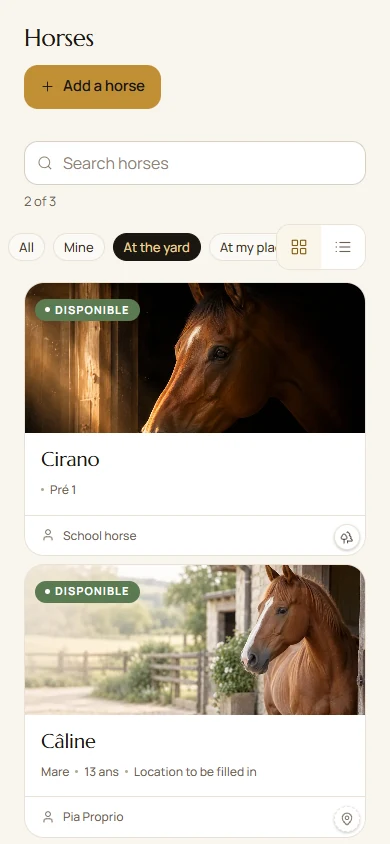
    Thirteen categories, from hoof trimming to X-rays, with reminders fourteen days ahead. Learn more.

  • Your horses, even without a yard

    A horse can live “at home”, linked to your account without a club. Same profile, same reminders.

  • The exercise studio

    Layouts drawn to the metre, distances calculated in strides and projected movements. Share your designs for others to use.

  • Learning and Galop levels

    Your progress from Galop 1 to Galop 7 stays with you, regardless of the club where you earned it.

  • Your horse's workload

    Lessons, schooling sessions and hacks counted together, with your limits and alerts.

  • Your equipment

    What you lend, to whom and since when. Keep track of loans and get your equipment back.

  • Rides and routes

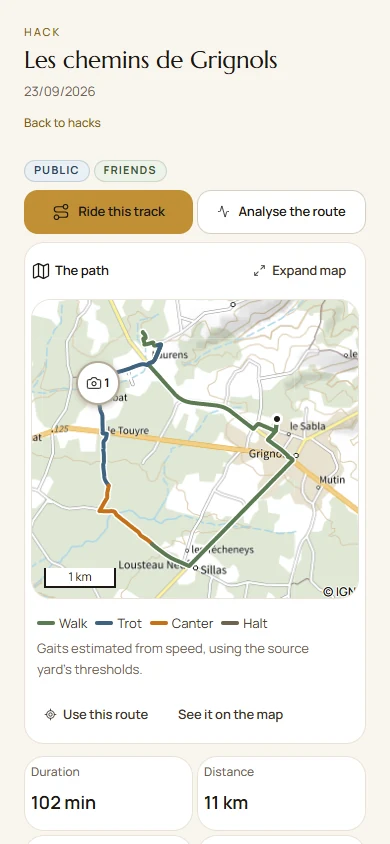
    Plan a ride or add it afterwards, upload a GPX track and review gaits and heart rate. Choose who sees it; public routes can be followed in the app.

  • Competitions and results

    Yard competitions and external results, on both rider and horse profiles, complete with rosettes.

What your yard gains

A community to set up, join and leave. It sees what concerns it, without seeing what happens elsewhere.

  • The schedule

    Lessons, clinics and bookings, with waiting lists and automatic allocation when a place becomes free.

  • The yard map

    Drawn over an aerial photograph of your address: select a paddock to see its horses and move them.

  • Reported concerns

    Lameness or a loose shoe, supported by a photo, with the owner alerted within a minute and the concern kept open until resolved.

  • Paid and unpaid tracking

    Each booking uses the right entitlement: subscription first, then lesson card, then individual payment. No payments pass through here.

  • The yard tablet

    Mounted on the wall: where everyone is, who is out riding, feeding and this week's care.

  • Clear roles

    Administrator, instructor, student, sharer, horse owner, competitor: each has the right access, enforced by the database.

  • Clinics, camps and Galop assessments

    Announce a clinic and its intended riders, with one booking covering all its days. Galop assessments are organised in the same place.

  • The exercise board

    Who has been exercised, when, and which horse has been waiting too long. Tap a cell to fill it: two clicks, rather than a form.

What connects you to others

Friendships cross yards and do not require one. That is what makes a network, rather than a set of separate private spaces.

  • Friends and the rider directory

    Friends can see your horses' profiles from another yard, and you choose what is shared, section by section.

  • The public circle

    Share beyond friends with all Paddoco accounts. Never on the open internet: search engines cannot see this content.

  • The yard feed

    Chronological, with no ranking. Each post offers the right action: “I'm coming”, “I'll do it”, “I can help”.

  • Messages and groups

    Private conversations, and a feed for each group that opens with its first message.

  • Listings

    Items riders sell or give away. No intermediary and no commission.

  • Several yards, one account

    Administrator here, rider there. Each yard stays separate from the others.

  • Horse-sharing arrangements

    Horses to share near you: offers include a location, can be found by distance and have an end date.

  • Creators

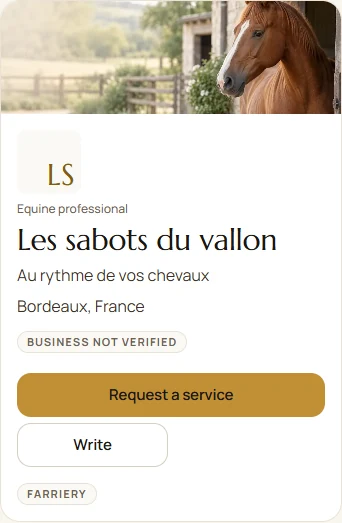
    People who publish have their own showcase and can reserve content for their community. Follow them across yards, just like a friend.

To the metre

Three strides, fourteen and a half metres.

Riders think of a line as “three strides”. Paddoco converts that into metres as you place the jumps and tells you whether the distance fits or is thirty centimetres short.

A line of two jumps, drawn to scale An upright and an oxer 14.50 metres apart. The horse's path shows landing, three 3.50-metre canter strides marked individually and take-off before the second jump. This is the calculation the design studio performs as you draw. 123 3 strides · 14.50 m

Drawn to scale: a 4 m allowance for landing and take-off, plus three 3.50 m canter strides. Adjustable for each yard, because a Shetland's stride is different from a Selle Français horse's. See the full distance table.

Out riding

The map follows. The route stays.

Set off with a friend's route or your own. The screen keeps IGN's topographic map centred on you at a fixed scale, showing distance remaining, distance off route and distance travelled, with an arrow showing your direction. If you leave the route, it tells you. Save the map offline before setting off, because rides often take you beyond mobile coverage.

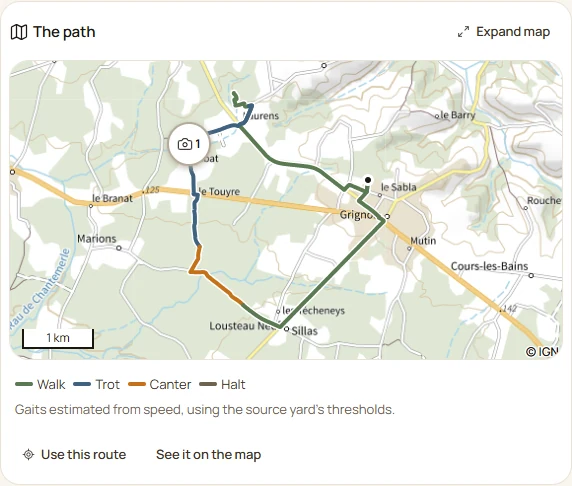
Afterwards, review your ride: gaits, elevation change and duration, with photos and reports placed where they were recorded. Choose who sees it: your yard, friends or everyone. A public route is shared in full, and the screen reminds you when you make that choice. Your heart rate stays private.

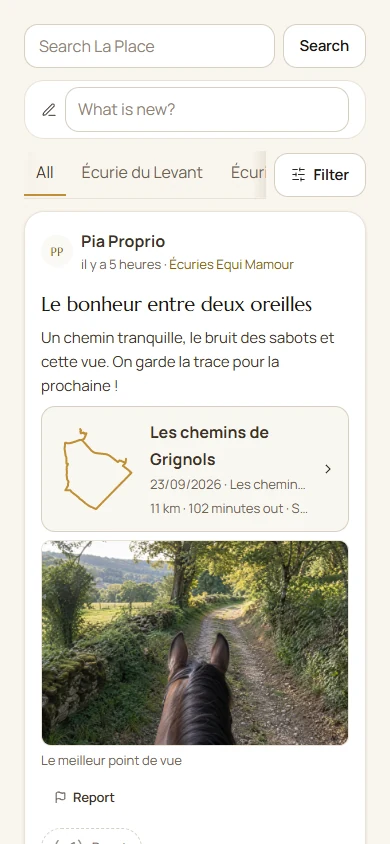
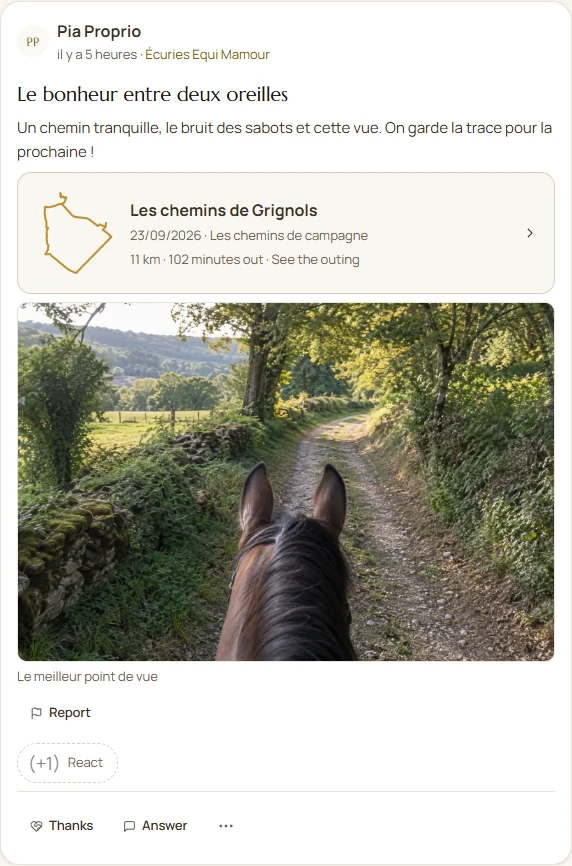
Real app screens, using a real route. The map backgrounds in these two images are illustrative . In use, you see IGN mapping or the map you choose. The guide shows the other screens.

A ride summary in Paddoco: a route coloured by gait, 6.5 km, 40 m of elevation change, walk, trot, canter and halt details, with actions to share, follow, view on the map and save offline
Paddoco's ride navigation screen: a topographic map centred on the rider, gold route, direction arrow and three figures at the top: 4.0 km remaining, 0 m off route and 2.4 km travelled

See the app in use

As it works, every day.

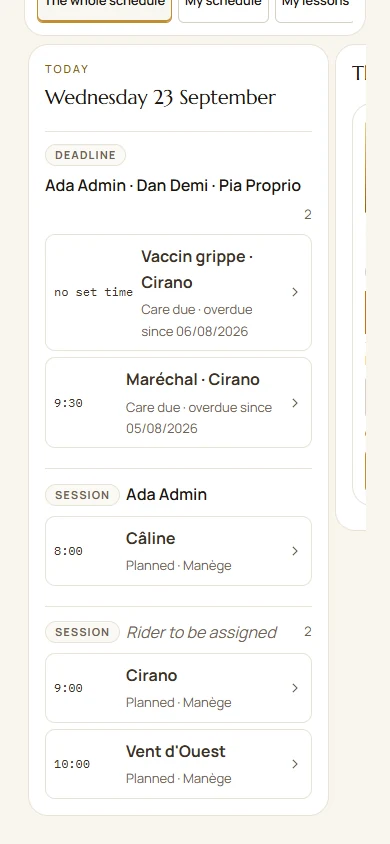
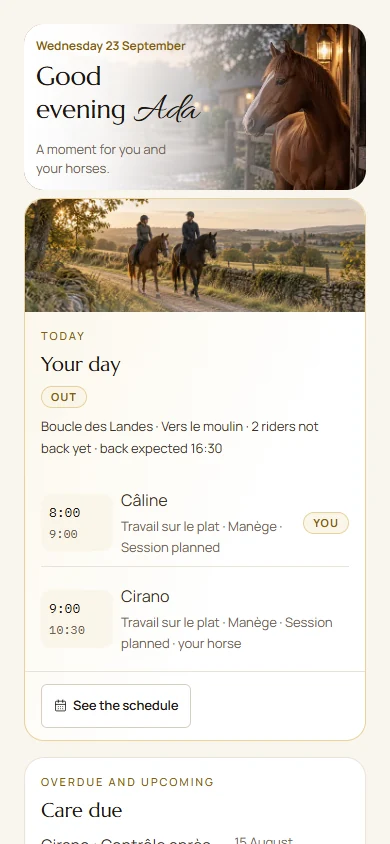
Paddoco dashboard screenshot: a rider's home screen with horses, schedule and yard activity
A rider's dashboard on a weekday afternoon.
Paddoco design studio screenshot: a jumping course drawn to scale in a 40 by 70 metre arena, with strides calculated between jumps
The design studio: a course laid out to the metre, including strides.
A characterful stable corridor at night: dark timber stables, brass fittings and warm lantern light

Where it began

Created in a working yard.

Paddoco began in a yard that uses it every day. Every feature answers a need we encountered that morning: a timetable to rearrange, missing equipment or a horse's last appointment we could not find.

The resulting rule is simple: if it does not help the yard, it does not stay in Paddoco. That rule has removed more screens than it has added.

Tested by riders. Tolerated by horses.

Security & respect

Data that stays where it belongs.

Four simple rules, applied everywhere, all the time.

Separate yards

Each yard sees only its own information. Schedules, care, feeding and posts stay within it. Only your horses' profiles can be shared with friends elsewhere, if you choose.

Precise access rights

Administrator, instructor, student, horse owner: everyone sees only what concerns them.

Protection for minors

Minors never appear in the rider directory or suggestions. A guardian can be linked to their account to manage matters concerning them.

Take everything with you

One button, one file: your horses, sessions and care records across all your yards. You lose nothing by changing yards or leaving.

Join us

Paddoco is opening its doors.

This is when your feedback makes the biggest difference. The first founding yards are joining one by one, and their requests often reach the app a few days later. Tell us who you are and how your yard works: we reply to everyone and get started together.

Riding without a yard? Get in touch too: there is already a place for you, with no club required.

Install Paddoco or open it straight away in your browser:

Open the app on desktop Download on the App Store Get it on Google Play

This form opens your email app. Your message is not sent to the website server.